
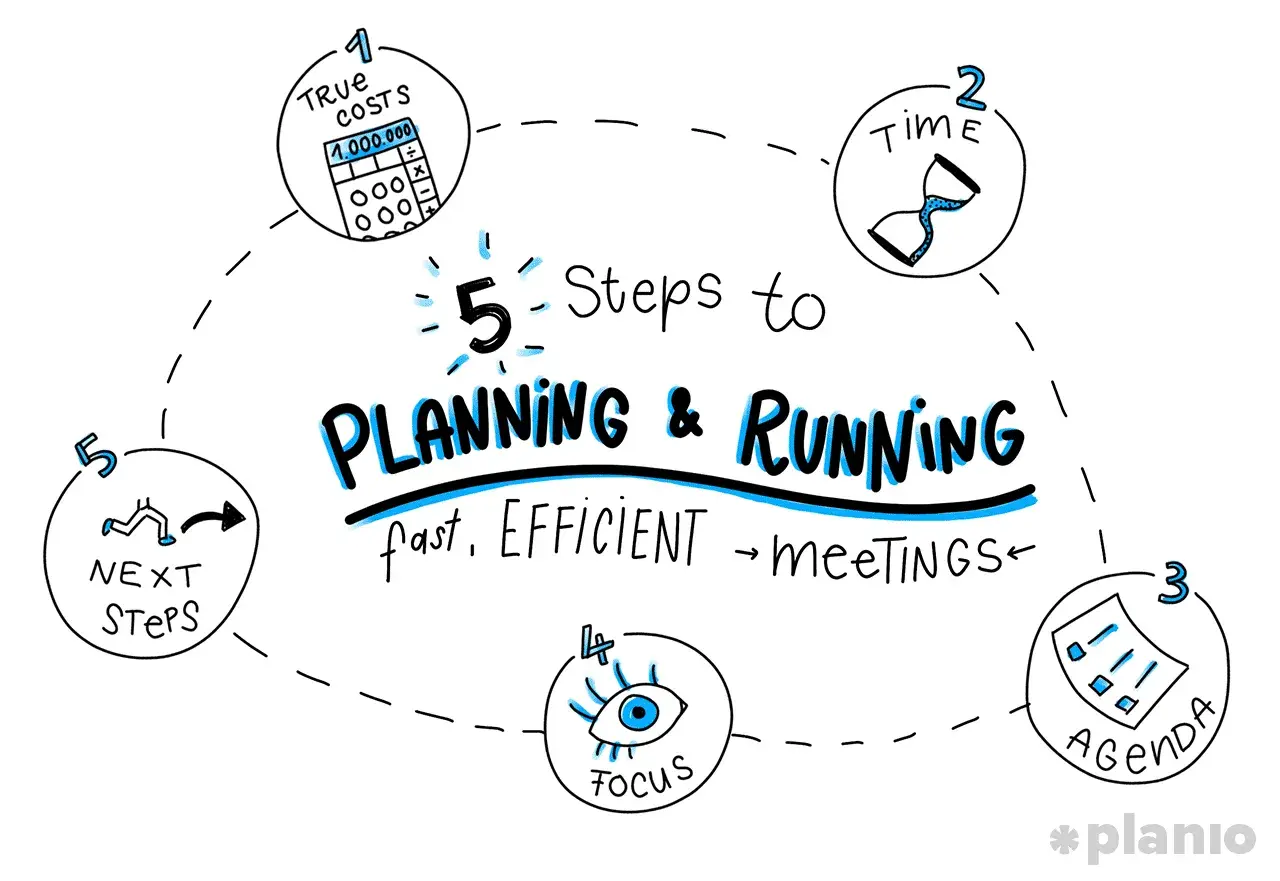
The essentials for running leaner meetings
- Use a meeting only when live discussion, alignment, or a decision cannot happen asynchronously.
- Invite the smallest group that can decide, contribute, or execute the outcome.
- Timebox every agenda item and make the expected output clear before anyone joins.
- Open with the decision you need, not with a long build-up of context.
- End with named owners, deadlines, and a written record of what was agreed.
- Keep recurring meetings on a tighter rhythm than the default calendar slot suggests.
Decide whether a meeting is needed at all
I start here because most bad meetings are not badly run; they should never have existed in the first place. If the goal is simply to share information, a written update is usually faster. If the goal is to collect comments on a draft, a shared document with deadlines is often better. If the goal is to make a call that affects several people, then a meeting earns its place.
Microsoft’s recent Work Trend Index highlights how meetings crowd into the most productive parts of the day, which is exactly why managers need to be selective. Every unnecessary invite eats into focus time, especially in hybrid teams where interruptions already stack up quickly.
As a rule, I only schedule a live meeting when at least one of these is true:
- A decision has to be made with input from more than one person.
- The topic is sensitive enough that tone and clarification matter.
- The team needs immediate alignment on priorities, risks, or trade-offs.
- The discussion is complex enough that back-and-forth will be faster than long email threads.
- People need to leave with a shared understanding of who does what next.
If none of that applies, I push the work into an async channel and protect the calendar. That habit alone makes later meetings shorter because people stop treating the meeting room as the default place to think. Once that decision is made, the next step is designing the session so it stays tight from the start.

Build a tight format before anyone joins
A short meeting is usually won before the first person arrives. I want three things locked in advance: the right people, a clear agenda, and a realistic time limit. If those are vague, the meeting will absorb whatever time you give it.
Harvard Business Review has repeatedly pointed out that productive meetings usually have fewer than eight people. I agree with the logic behind that: once the room gets too big, discussion turns into performance, and performance is slower than decision-making.
I use a simple planning structure:
- Purpose - what decision, alignment, or next step should exist at the end?
- Participants - who must be there, and who can read the notes later?
- Agenda - what topics will be discussed, in what order, and for how long?
- Outcome - what will be different when the meeting ends?
For recurring meetings, I also timebox more aggressively than many managers expect. My default planning guide looks like this:
| Meeting type | My default length | Expected output |
|---|---|---|
| Daily check-in | 10-15 minutes | Blockers, priorities, and quick coordination |
| Decision meeting | 25-30 minutes | A clear decision or a narrowed shortlist |
| Weekly team sync | 25-50 minutes | Alignment, risks, and owners |
| Working session | 45-60 minutes | One tangible deliverable, not open-ended debate |
I also like to define roles before the meeting begins. One person facilitates, one person captures actions, and one person owns the decision if there is any ambiguity. That separation sounds small, but it removes a lot of dead time because people are not waiting for someone else to steer. With the structure in place, the opening becomes much easier to control.
Open with the decision, not the background
The fastest way to lose a room is to make people wait for the point. I prefer to state the purpose in the first 30 seconds and say what success looks like by the end of the meeting. People relax when they know where the conversation is going.
A useful opening sounds like this: “By the end of this meeting, we need to choose option A or B, confirm the owner, and agree the deadline. If we drift, I’ll park side topics and bring them back later.” That is direct without sounding harsh. It gives people a frame and makes it easier to cut off detours politely.
There are three things I keep in the opening:
- The decision or outcome we need.
- The time available for the discussion.
- The ground rules for handling side topics.
One term I use often is the parking lot, which simply means a place to store useful but off-topic points so they are not lost. That keeps the main conversation moving without shutting people down. In practice, this is where many managers save ten minutes or more, because they stop letting one interesting side issue pull the whole meeting off course. Once the opening is set, the real discipline is keeping the discussion short without making it shallow.
Keep the discussion short without making it shallow
Short does not mean rushed. It means focused. I am usually trying to separate three phases that too many meetings blend together: idea generation, evaluation, and decision. When those are mixed, the meeting grows because nobody knows whether they are supposed to think aloud, challenge, or choose.
These techniques work well when I need to keep the room moving:
- Round-robin input - each person speaks once before debate starts, which prevents the loudest voice from setting the direction too early.
- Silent writing - everyone writes down thoughts for two or three minutes before discussion, which improves quality and reduces repeated ideas.
- One question at a time - if the agenda item is “What should we do about X?”, I do not let the room solve three other problems at once.
- Timeboxing by topic - if a topic has five minutes, it really has five minutes; when time is up, I either decide, defer, or park it.
- Separate divergence from convergence - first gather options, then narrow them. Trying to do both at the same time usually wastes time.
For recurring team meetings, the best accelerator is often pre-work. A short pre-read sent a day in advance is much faster than talking through basic context live. If people arrive knowing the facts, the meeting can focus on judgement. That is where value is created. If people arrive cold, the meeting becomes a briefing, and briefings are usually not what managers think they are paying for. The final step is making sure the end of the meeting is more concrete than the start.
Close with owners, deadlines, and a written record
I reserve the last few minutes for closure, not for a final burst of open discussion. This is where many otherwise good meetings fail: people feel aligned in the room, then leave with different interpretations of what happened. A strong close prevents that.
My closure checklist is simple:
- State the decision clearly.
- Name the owner for each action.
- Give each action a deadline.
- Confirm where the notes will live.
- Say what happens if the deadline slips.
If I am leading a project or management meeting, I also write down the exact wording of the decision when it matters. “We agreed to test option B for two weeks” is much more useful than “We’ll probably move ahead with B.” The first version can be acted on. The second version invites confusion.
A lightweight record is usually enough. It does not need to read like formal minutes unless the meeting is a board, legal, or compliance discussion. In most team settings, a short note with decisions, owners, and deadlines is what keeps the work moving after everyone leaves. That becomes even more important when the same mistakes keep showing up from one meeting to the next.
Avoid the traps that make short meetings collapse
Some meetings are long for obvious reasons. Others are long because of a handful of predictable failures. I see the same traps again and again, especially in management teams that are busy and under pressure.
Here is the pattern I watch for most often:
| Common mistake | Why it slows the meeting down | Better approach |
|---|---|---|
| Inviting too many people | More people means more explanation and slower decisions | Invite only the people who can decide, contribute, or execute |
| No clear owner | The room waits for someone else to take charge | Name the decision owner and facilitator before the meeting starts |
| Agenda topics instead of questions | Topics stay vague and drift into storytelling | Turn each item into a question that can be answered |
| Status updates in a live meeting | People repeat information that could have been written down | Move status into a short update before the meeting |
| No timekeeper | Small digressions quietly consume the whole slot | Assign someone to watch the clock and call time cleanly |
When a meeting starts to feel bloated, I ask one blunt question: “What decision or output are we protecting here?” If the answer is fuzzy, the meeting is probably fuzzy too. That is also why I prefer smaller groups. Once you move past the core decision-makers, discussion quality drops fast and the session begins to feel like a broadcast rather than a working conversation. The best way to avoid that problem is to design a meeting rhythm that supports the work instead of interrupting it.
The meeting rhythm I would use in a busy management team
If I had to build a practical system for a UK management team, I would keep it deliberately simple. Not every meeting needs to be reinvented, but every meeting does need a clear job. The goal is to reduce calendar noise while preserving the conversations that actually matter.
- Weekly team sync - 25 minutes, three items max, focused on risks, dependencies, and decisions.
- One-to-ones - 25 minutes, centred on priorities, blockers, and support needs rather than generic updates.
- Decision meetings - 25-30 minutes, with pre-read material sent in advance and one named decision owner.
- Working sessions - 45-50 minutes, only when the team needs to create or solve something together in real time.
- Meeting-free blocks - protected spaces in the calendar for focused work, writing, and follow-through.
The pattern behind all of this is consistent: fewer people, fewer topics, tighter time limits, and a clearer finish. That is what makes meetings feel lighter without making them less useful. If you change only one habit, make it this one: never let a meeting end without a decision, an owner, or an explicit next step. That single rule does more to improve management rhythm than most of the productivity advice people repeat on autopilot.
